
Filtering people
Now, we will implement search functionality of GetPeople method. UI is shown below:
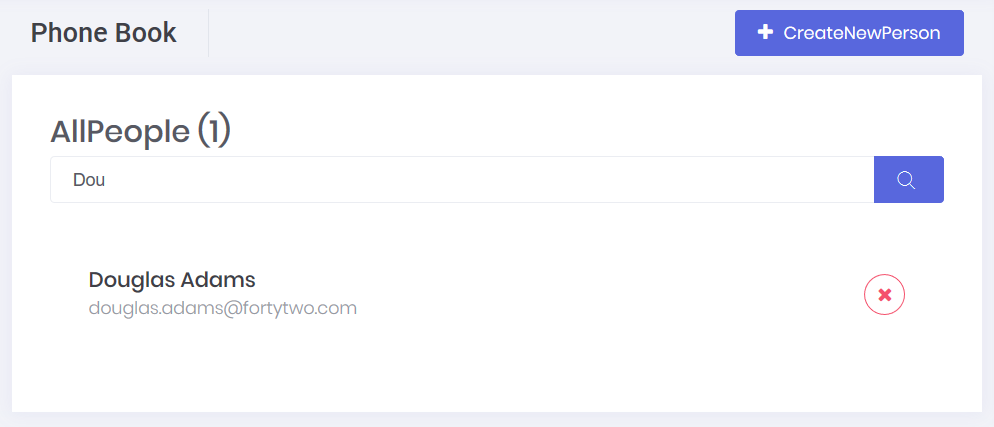
We added a search input to phonebook.component.html view (showing the related part of the code):
<div [@routerTransition]>
    <sub-header [title]="'PhoneBook' | localize" [description]="'PhoneBooksHeaderInfo' | localize"></sub-header>
    <div [class]="containerClass">
        <div class="card card-custom">
            <div class="card-header">
                <div class="card-title">
                    <form (ngSubmit)="applyFilter()">
                        <div class="input-group">
                            <input
                                [ngModel]="filter()"
                                (ngModelChange)="filter.set($event)"
                                name="filter"
                                class="form-control"
                                [placeholder]="'SearchWithThreeDot' | localize"
                                type="text" />
                            <button type="submit" class="btn btn-primary">
                                <i class="flaticon-search-1"></i>
                            </button>
                        </div>
                    </form>
                </div>
                <div class="card-toolbar">
                    @if ('Pages.Tenant.PhoneBook.CreatePerson' | permission) {
                        <button class="btn btn-primary" (click)="createPerson()">
                            <i class="fa fa-plus"></i>
                            {{ 'CreateNewPerson' | localize }}
                        </button>
                    }
                </div>
            </div>
            <!-- Other Codes -->
        </div>
    </div>
</div>

<createPersonModal #createPersonModal (modalSave)="getPeople()"></createPersonModal>
We also added currently filtered people count (people.length) in the header. Since we have already defined and used the filter property in phonebook.component.ts and implemented in the server side, this new code immediately works.


