
Setup Page
ASP.NET Zero application can be set-up using install page. This page is developed to create initial database, apply migrations and configure the application according to user's input on this page. Setup page can be accessed via http://yourwebsite.com/Install.
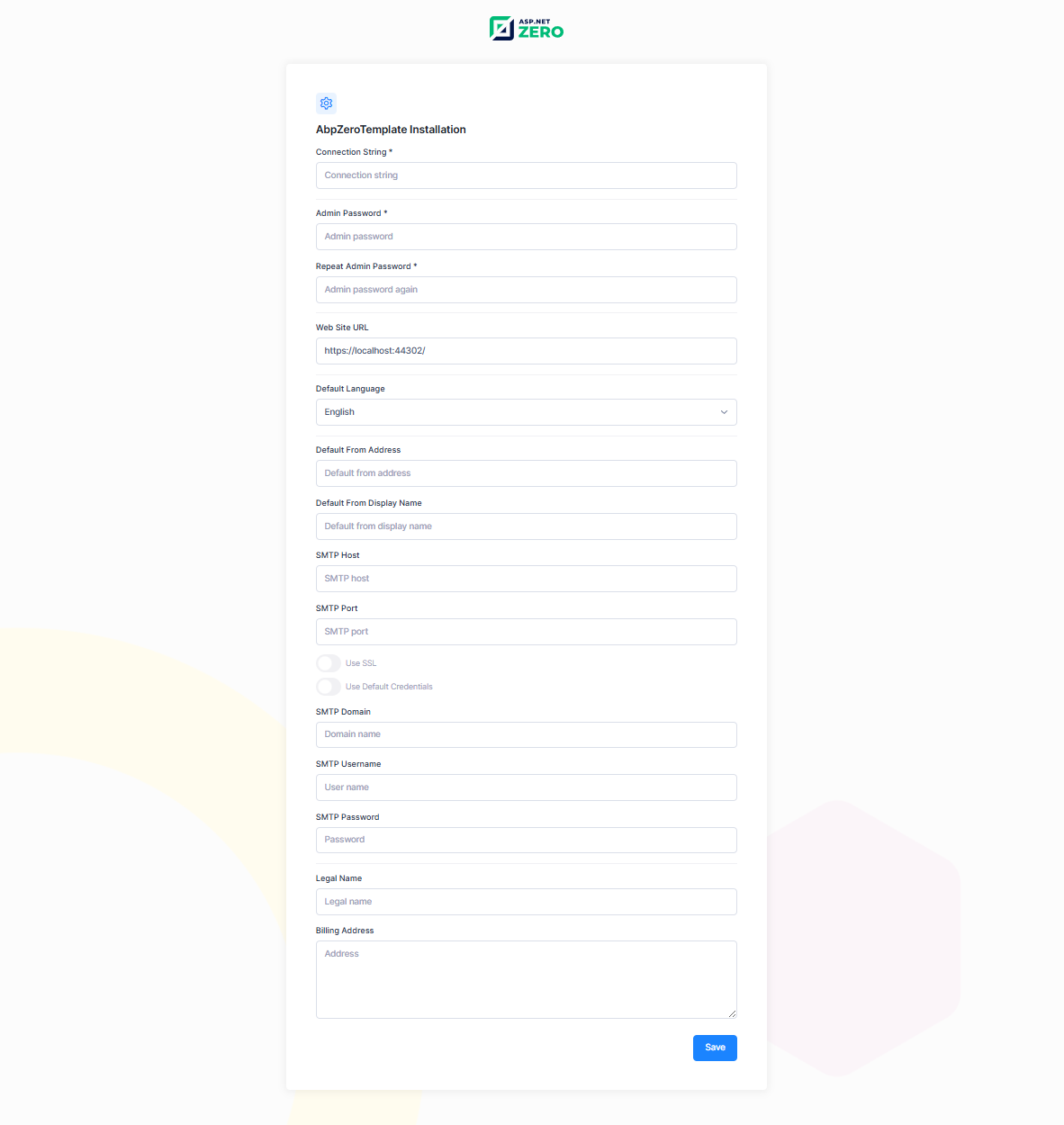
When the Setup Page Is Shown
The setup page is only meant for applications that do not have a database yet. As long as the database is missing, the application redirects you to the setup page instead of the normal pages.
If your database already exists but your database server was simply not ready when the application started, you do not need to reinstall anything. The application keeps checking, and as soon as the database becomes available it stops redirecting to the setup page. Refresh the page and you will be taken to the login page as usual.
Since your application and your database server often start together (for example after a machine reboot), the application also waits for the database server for a short while before it starts, so that it does not end up in setup mode for no reason. See Waiting for the Database on Startup if you need to change how long it waits.

