
Tenant Sign Up
Tenant sign up link is shown on the login form only if you are in the host context. When you click to the link, a registration form is shown like below if there are no Edition defined in the application:
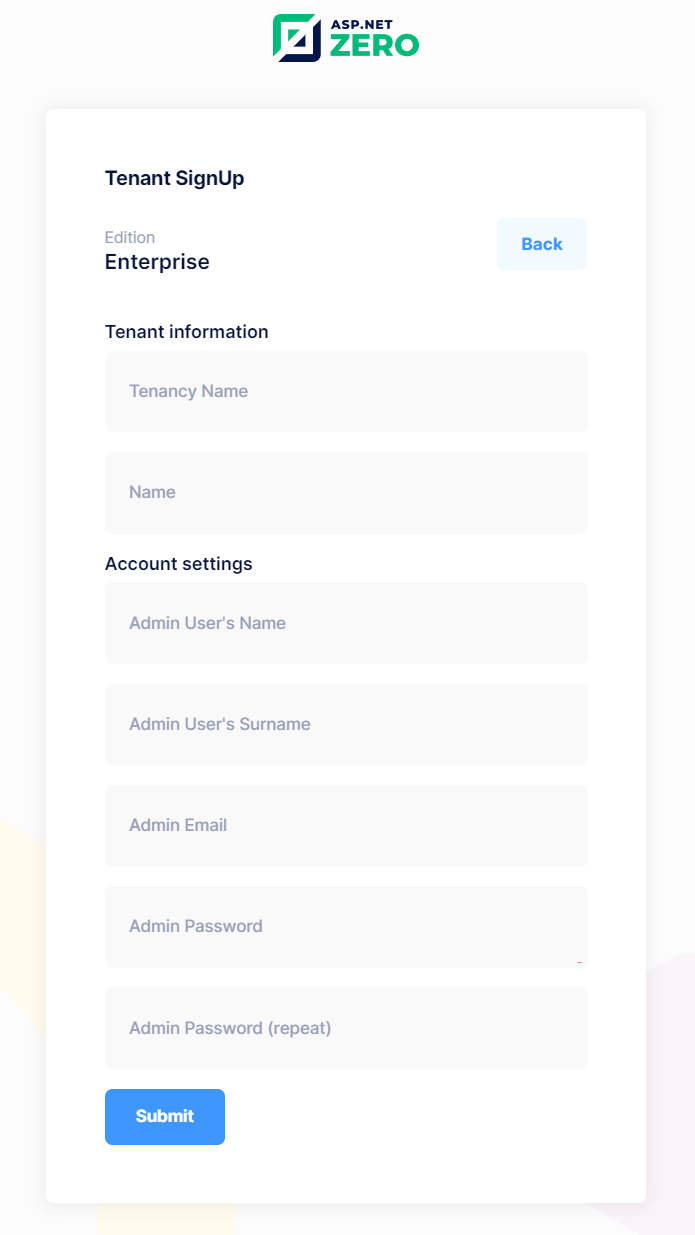
If there is at least one Edition defined, then user will be redirected to edition selection page:

There are two type of editions, free and paid. Paid editions can have trial version. If an edition doesn't have trial version, "Free Trial" button will not be visible for that edition on the edition selection page. All selections on this page will redirect user to Tenant sign up page. If user selects "Buy Now" option, user will be redirected to payment page after the Tenant sign up page. For free and trial options, user will be logged in to system if "New registered tenants are active by default" option is enabled under the "Tenant Management" tab of Host settings page. If New registered tenants are active by default option is not selected, users will be redirected to tenant signup result page.
If user selects "Buy Now" option and pays for the edition subscription, user will be logged in directly even if the New registered tenants are active by default option is not enabled.
Recaptcha (security question) is optional for tenant registration. It can be enabled with the "Use security image question (captcha) on registration" option under the "Tenant Management" tab of Host settings page.
Tenant self registration can be completely disabled with the "Allow tenants to register to the system" option on the same settings tab. In that case, the tenant sign up link is not shown on the login page and TenantRegistrationController throws a user friendly exception if its pages are requested directly.
For more information about subscription system, you can check Subscription document.
