
Master Detail Tables
Master-detail tables, also known as parent-child tables, represent a one-to-many relationship between two entities. One master record can have multiple child records.
What is a Master-Detail Table?
The master-detail relationship is a common database design pattern used to organize related data efficiently and avoid data duplication.
Master Table: The master table contains the main records. For example, in a bookstore database, the master table could be Authors.
Detail Table: The detail table contains records related to a master record. In the bookstore example, the detail table could be Books.
Foreign Key: The detail table contains a foreign key that references the primary key of the master table.
One-to-Many Relationship: One master record can be associated with multiple detail records, while each detail record belongs to one master record.
Create a Master-Detail Page with Power Tools Web UI
Power Tools can generate master-detail pages from the web UI.
To create a master-detail page:
- Create and save the child entity first. This entity will be used as the detail table.
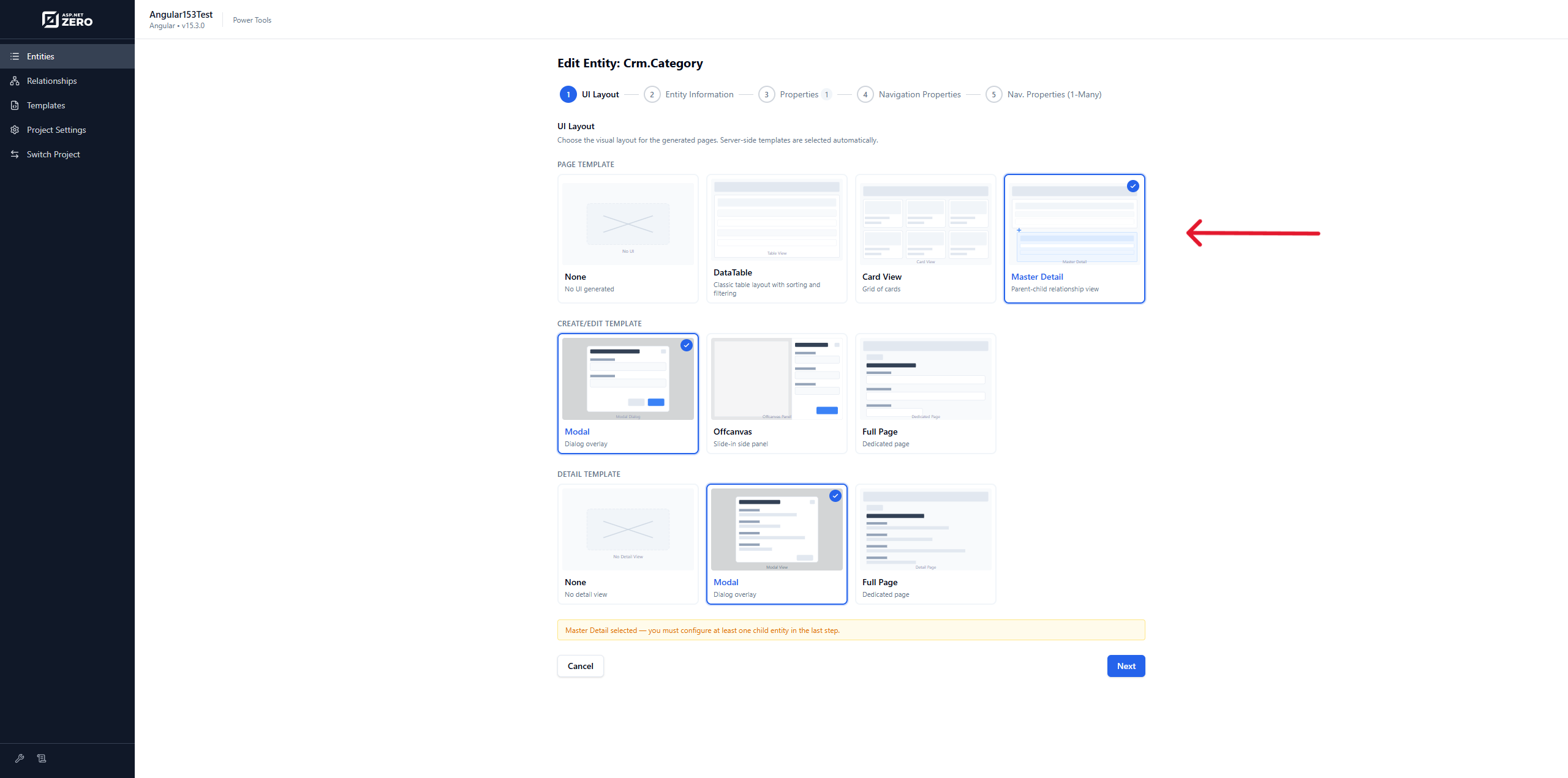
- Create the master entity.
- In the UI Layout step, select the Master Detail page template.
- Continue to the one-to-many navigation step.
- Select the child entity JSON file, define the foreign key property, choose the display property, and choose the view type.
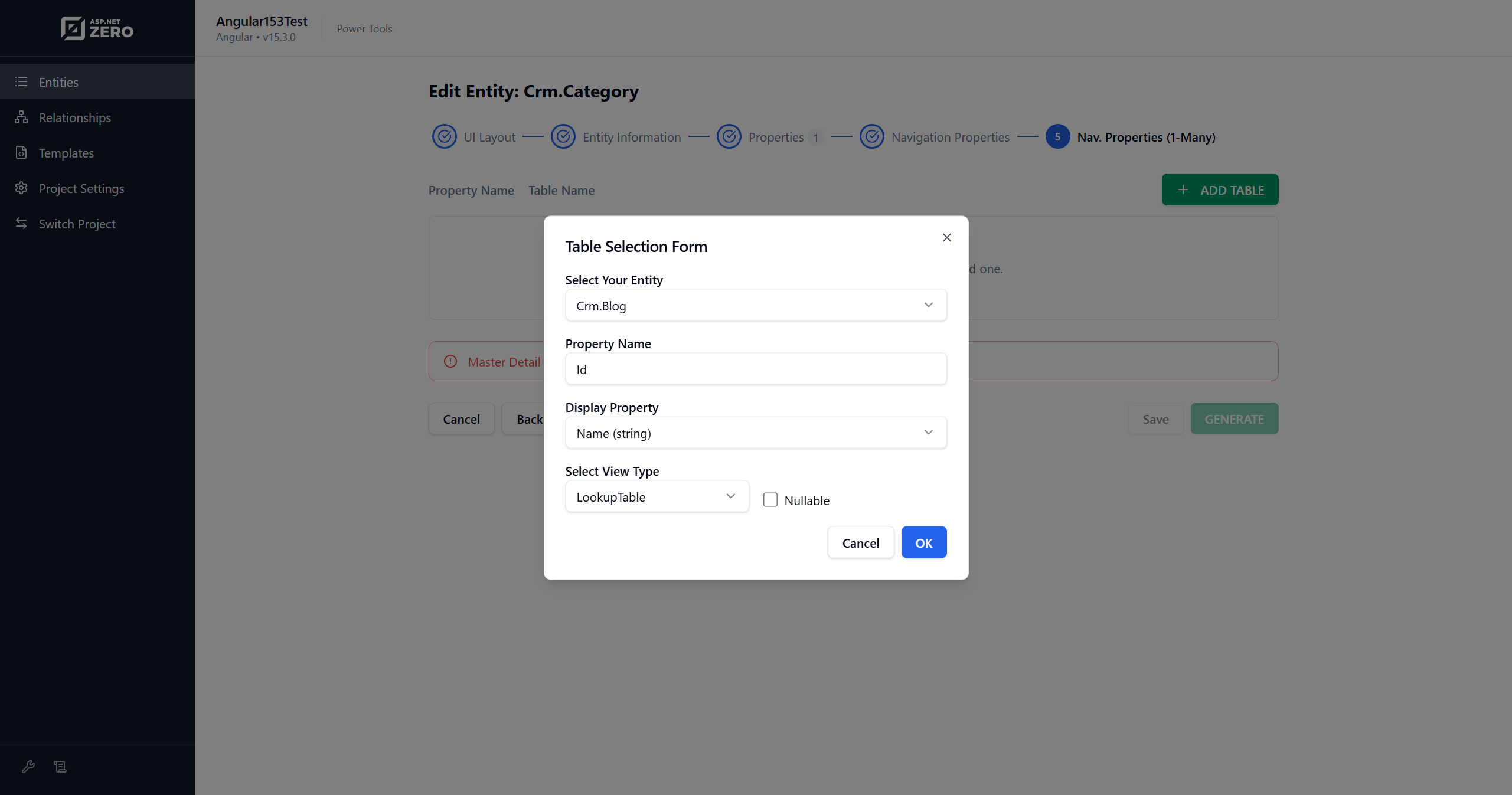
- Click Generate.
Power Tools generates the required server-side and client-side files for the master page and updates the child entity relationship as needed.
Create a Master-Detail Page Manually
For advanced or headless usage, you can edit the entity JSON file manually.
- Create the child entity JSON file first. For more information about entity JSON files, see Entity JSON Reference.
- Create or edit the master entity JSON file.
- Set
IsMasterDetailPagetotrue. - Add
NavigationPropertyOneToManyTablesentries for child entities.
NavigationPropertyOneToManyTables:
| Name | Description |
|---|---|
| EntityJson | Child entity JSON file name. It must be located in the project's AspNetZeroRadTool working folder. |
| ForeignPropertyName | Property name on the child entity that stores the foreign key. |
| IsNullable | Defines whether the foreign key is nullable. |
| DisplayPropertyName | Property name from the master entity displayed on child pages. |
| ViewType | LookupTable or Dropdown. |
Example JSON File
{
  "IsRegenerate": false,
  "MenuPosition": "main",
  "RelativeNamespace": "BaseNamespace",
  "EntityName": "BaseEntity",
  "EntityNamePlural": "BaseEntities",
  "TableName": "BaseEntities",
  "PrimaryKeyType": "int",
  "BaseClass": "Entity",
  "EntityHistory": false,
  "AutoMigration": true,
  "UpdateDatabase": true,
  "CreateUserInterface": true,
  "CreateViewOnly": true,
  "CreateExcelExport": true,
  "IsNonModalCRUDPage": false,
  "IsMasterDetailPage": true,
  "PagePermission": {
    "Host": true,
    "Tenant": true
  },
  "Properties": [
    {
      "Name": "BaseProp1",
      "Type": "string",
      "MaxLength": -1,
      "MinLength": -1,
      "Range": {
        "IsRangeSet": false,
        "MinimumValue": 0,
        "MaximumValue": 0
      },
      "Required": false,
      "Nullable": false,
      "Regex": "",
      "UserInterface": {
        "AdvancedFilter": true,
        "List": true,
        "CreateOrUpdate": true
      }
    }
  ],
  "NavigationProperties": [
    {
      "Namespace": "Abp.Organizations",
      "ForeignEntityName": "OrganizationUnit",
      "IdType": "long",
      "IsNullable": true,
      "PropertyName": "OrganizationUnitId",
      "DisplayPropertyName": "DisplayName",
      "DuplicationNumber": 0,
      "RelationType": "single",
      "ViewType": "LookupTable"
    }
  ],
  "NavigationPropertyOneToManyTables": [
    {
      "EntityJson": "ChildNamespace1.Child.json",
      "ForeignPropertyName": "BaseEntityId",
      "IsNullable": true,
      "DisplayPropertyName": "BaseProp1",
      "ViewType": "LookupTable"
    }
  ],
  "EnumDefinitions": [],
  "DbContext": null
}
Screenshots
Authors Page
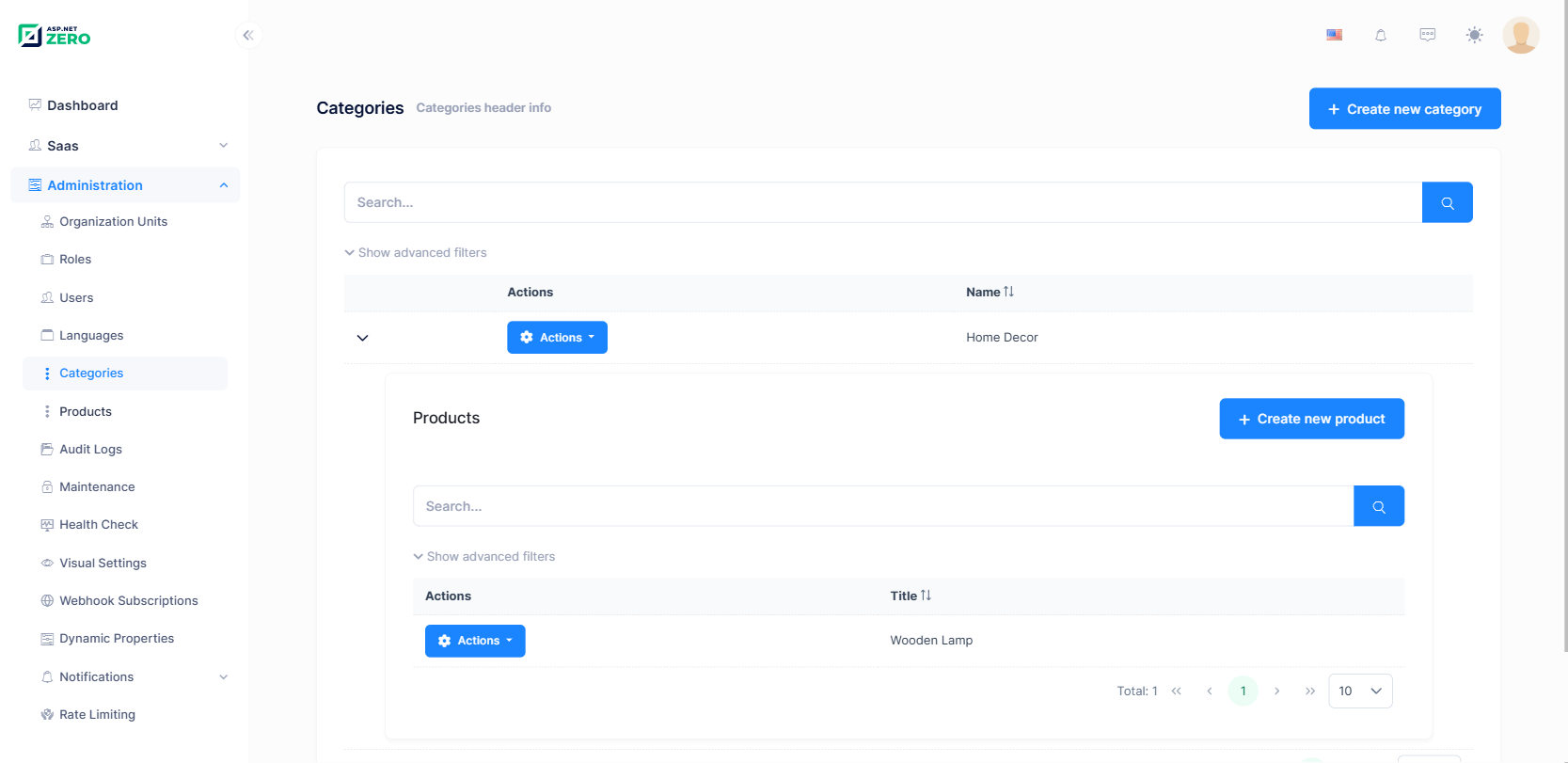
You can create list views for child entities too. Power Tools updates both the master entity page and child entity page.
Authors > Create New Book
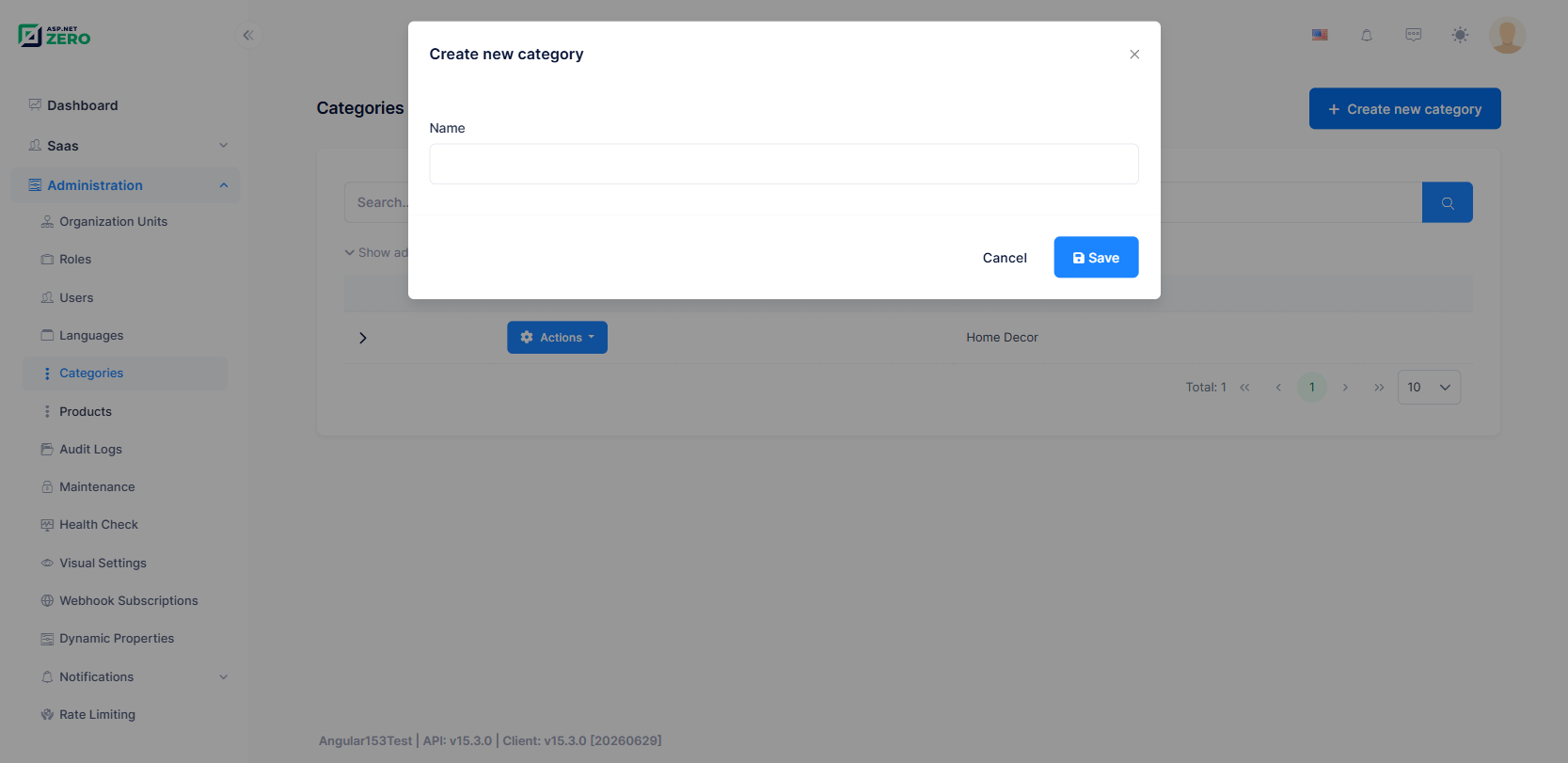
Books > Create New Book
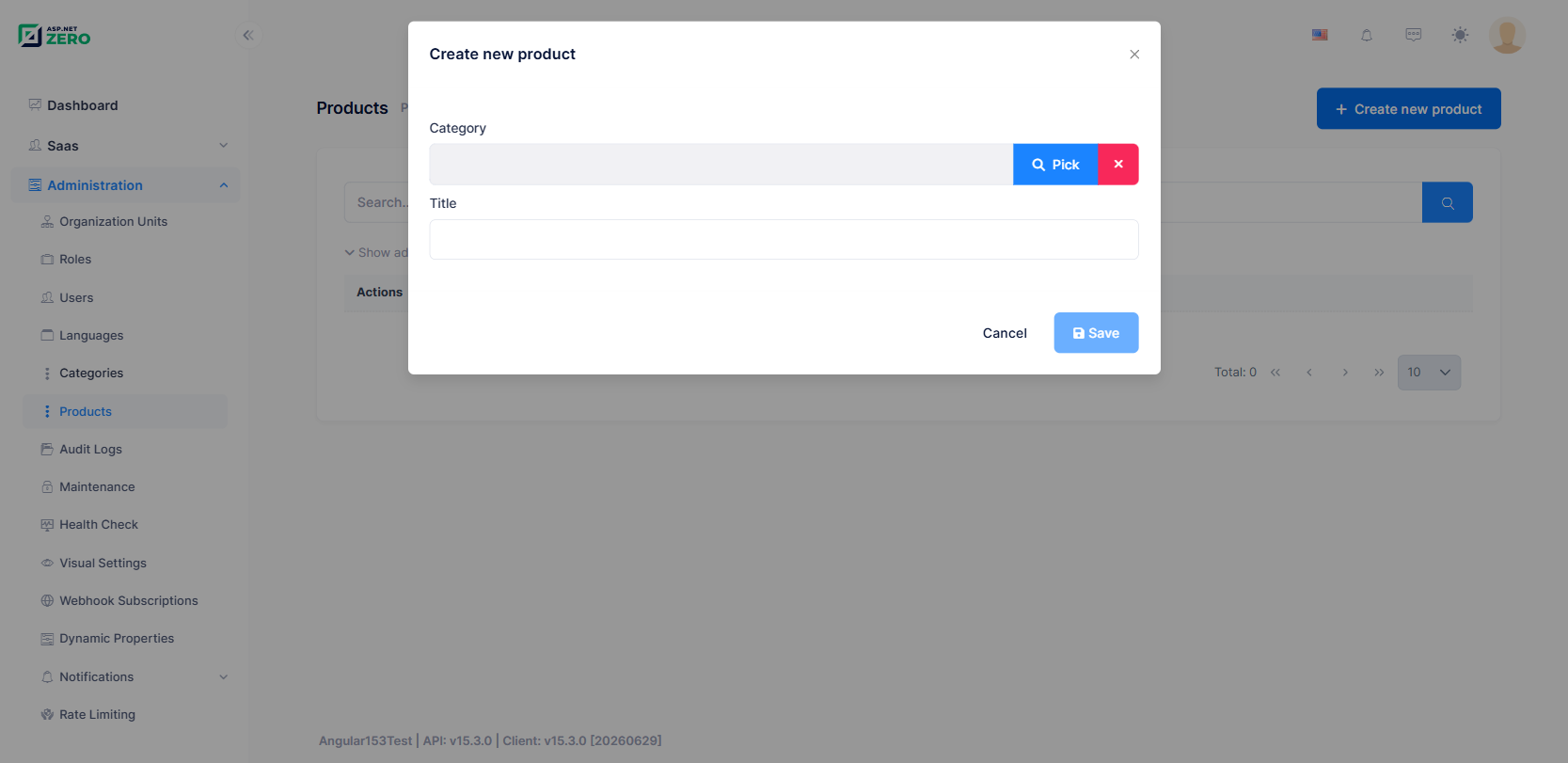
If you manage child entities from the master entity page, Power Tools automatically handles the relationship to the master entity.


