
Load Entity From Database
ASP.NET Zero Power Tools can import an entity definition from an existing database table. The import creates an entity JSON definition, opens it in the entity wizard, and lets you review or edit it before saving and generating code.
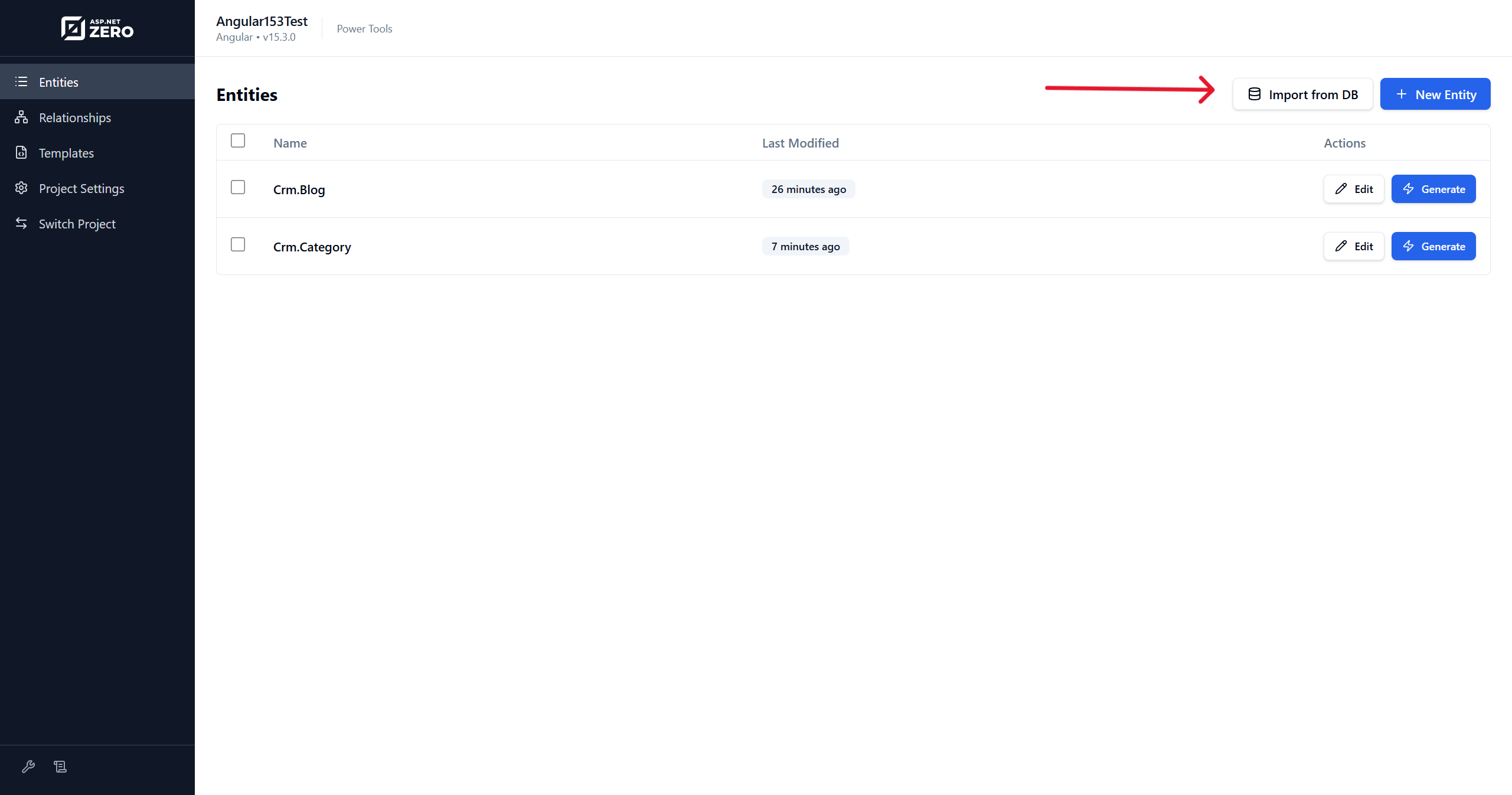
How to Load an Entity From Database
- Open Power Tools with
aspnetzero-powertools. - Select your ASP.NET Zero project if it is not already selected.
- Open the Entities page.
- Click Import from DB.
- Select the database provider.
- Review or enter the connection string.
- Click Test Connection if you want to verify the connection.
- Click Load Tables and select the table you want to import.
- Click Import & Edit.
- Review the generated entity definition in the entity wizard, then save or generate it.
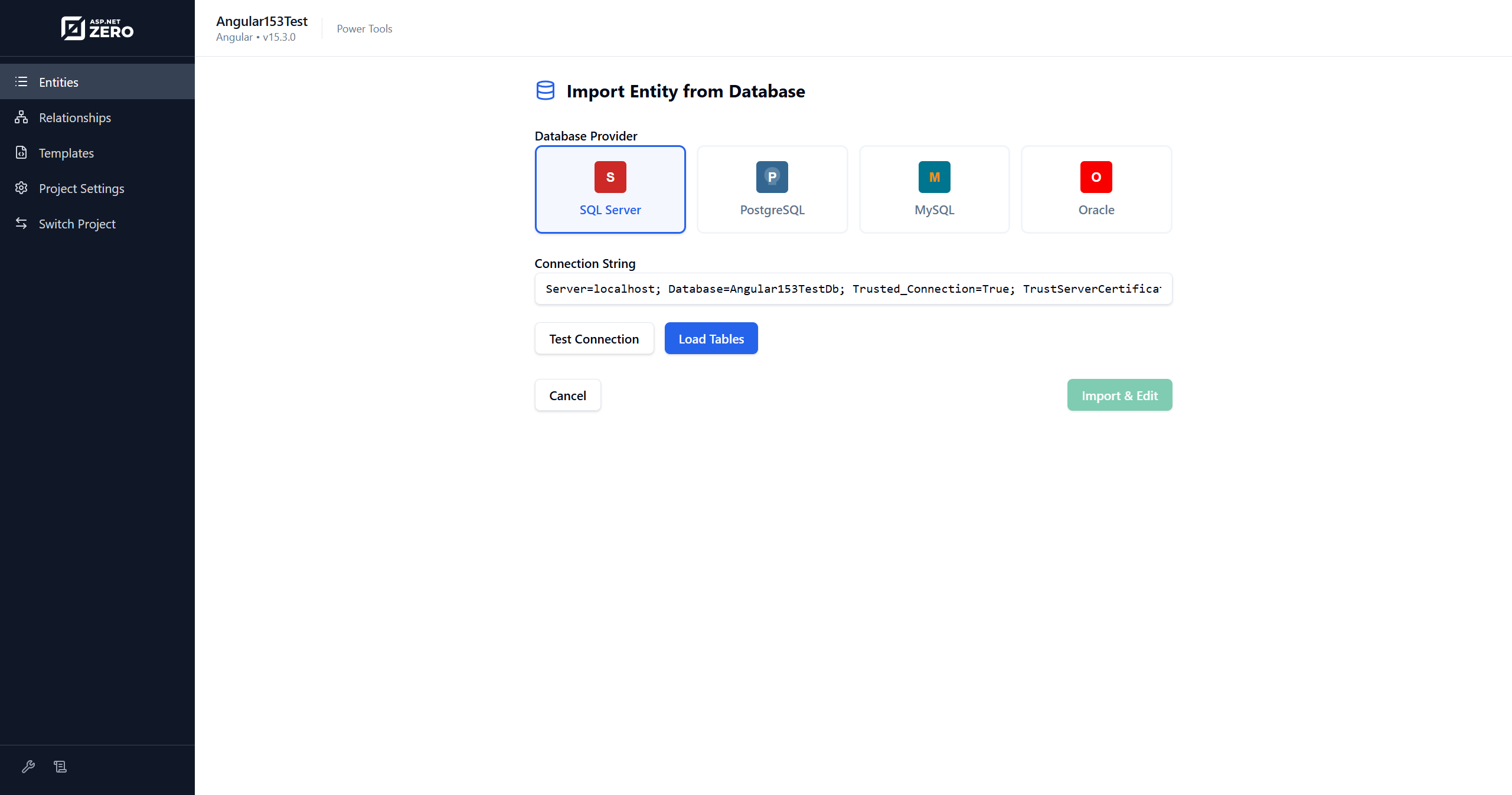
Power Tools tries to load the default connection string from the selected ASP.NET Zero project. If it cannot find it, enter the connection string manually.
Supported Databases
- SQL Server
- PostgreSQL
- MySQL
- Oracle
What Gets Imported
Power Tools reads the selected table and creates an entity JSON definition with sensible defaults:
- Entity name and plural name derived from the table name.
- Table name from the selected database table.
- Properties derived from table columns.
- Default UI, migration, Excel export/import, and host/tenant permission options.
The imported entity is not generated immediately. You can adjust namespace, names, validations, UI settings, navigation properties, and other options before generation.
Advantages of Loading Entity From Database
Effortless Entity Loading
Power Tools handles the repetitive work of reading database metadata and creating the initial entity definition.
Automated Code Generation
After importing and reviewing the entity, Power Tools can generate application services, DTOs, UI files, localization entries, permissions, tests, and other related code.
Enhanced Consistency
Using a standardized import and generation process keeps generated entities consistent across your application.
Time Savings
Database import is useful when you already have tables and want to quickly build ASP.NET Zero pages for them.
Flexibility and Customization
You can edit the imported entity definition before generation and customize generated templates when needed.

