Notifications
Notification icon is located next to the language selection button.
User can see 3 recent notifications by clicking this icon.
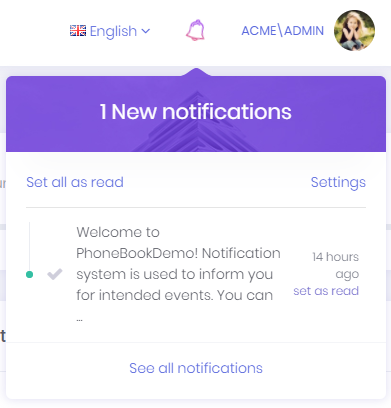
User can marks all notifications as read by clicking the Set all as read link or can mark a single notification by clicking the Set as read link next to each notification. Notifications are sent real-time using SignalR. In addition, a desktop push notification is shown when a notification is received.
Notification Settings
Settings link opens notification settings dialog.
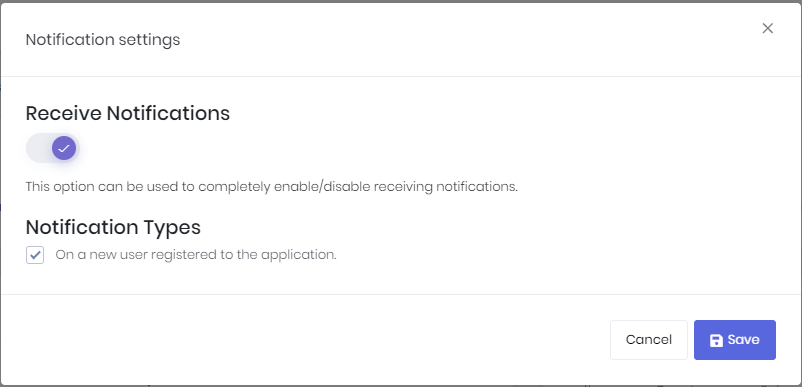
In this dialog there is a global setting for user to enable/disable receiving notifications. If this setting is enabled, then user can enable/disable each notification individually.
You can also define your custom notifications in AppNotificationProvider class. For example, new user registration notification is defined in the AppNotificationProvider as below.
context.Manager.Add(
     new NotificationDefinition(
        AppNotificationNames.NewUserRegistered,
        displayName: L("NewUserRegisteredNotificationDefinition"),
        permissionDependency: new SimplePermissionDependency(AppPermissions.Pages_Administration_Users)
    )
);
See notification definitions section for detailed information.
AppNotifier class is used to publish notifications. NotificationAppService class is used to manage application logic for notifications.
When a notification is sent, the React app receives it via SignalR. Notification formatting is handled in utils.ts which contains the formatAbpUserNotification function. If you want to customize how notification URLs are generated, you can modify the URL building logic in this file.
See notifications documentation for detailed information.
Notification List
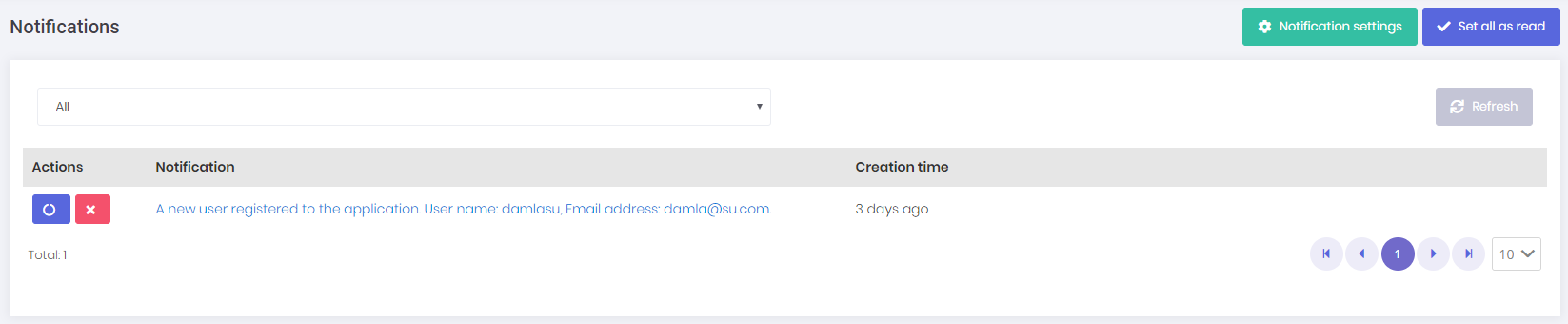
All notifications of the user are listed in this page. We can delete and mark a notification as read in this page.