
Subscription
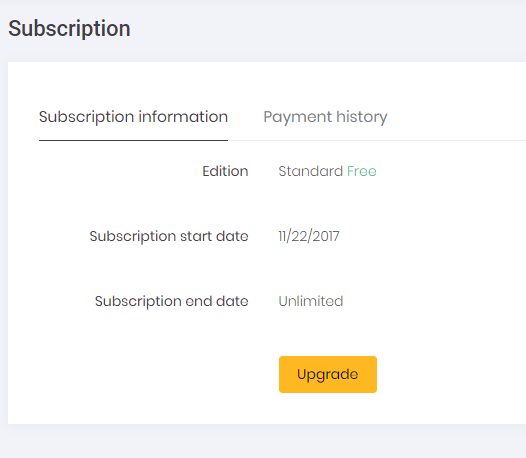
Tenants can manage (see, extend or upgrade) their edition/plan subscriptions using this page:
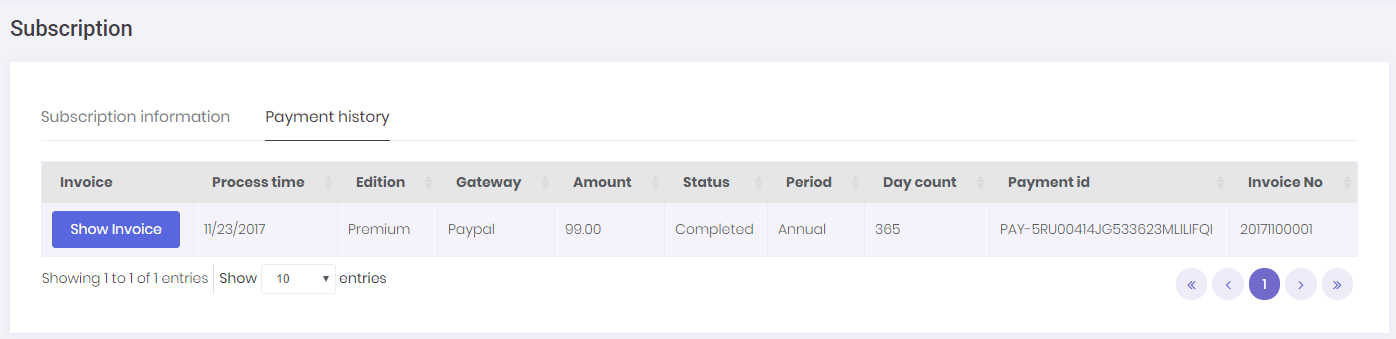
All payment records for purchasing/extending/upgrading the subscription are kept in the system. These records can be seen on "Payment History" tab on subscription page.
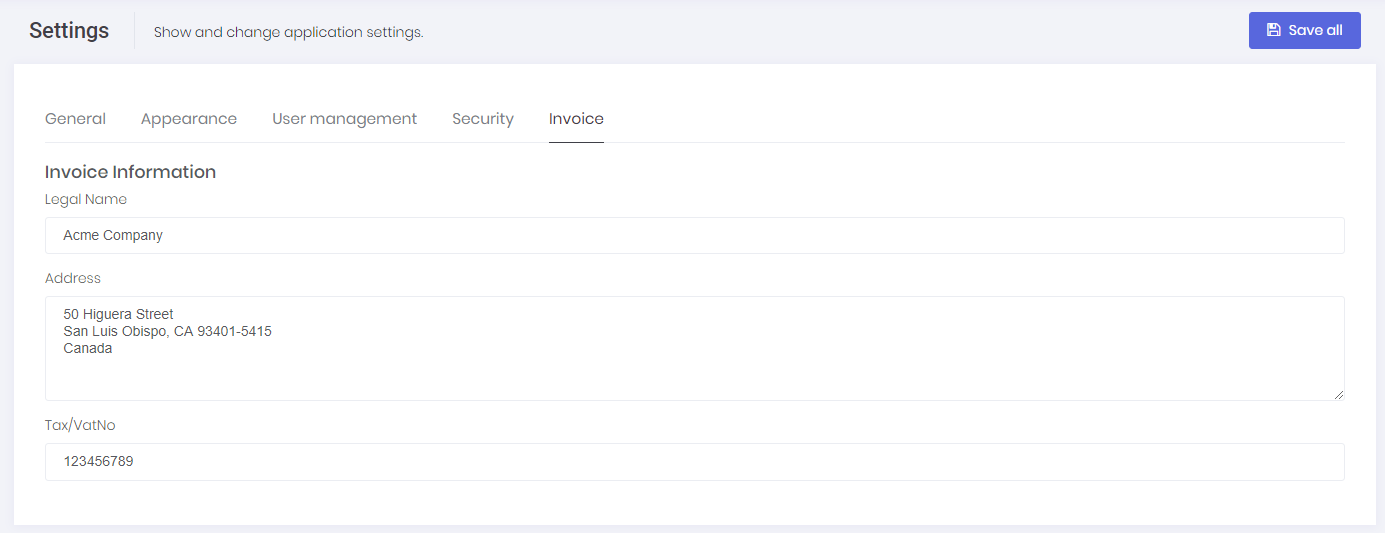
Tenants can also create & print invoices for these payments by clicking the "Show Invoice" button. System will automatically generate an invoice number and show the generated invoice. In order to use this function, both Host and Tenant must set invoice information on host setting/tenant setting page.
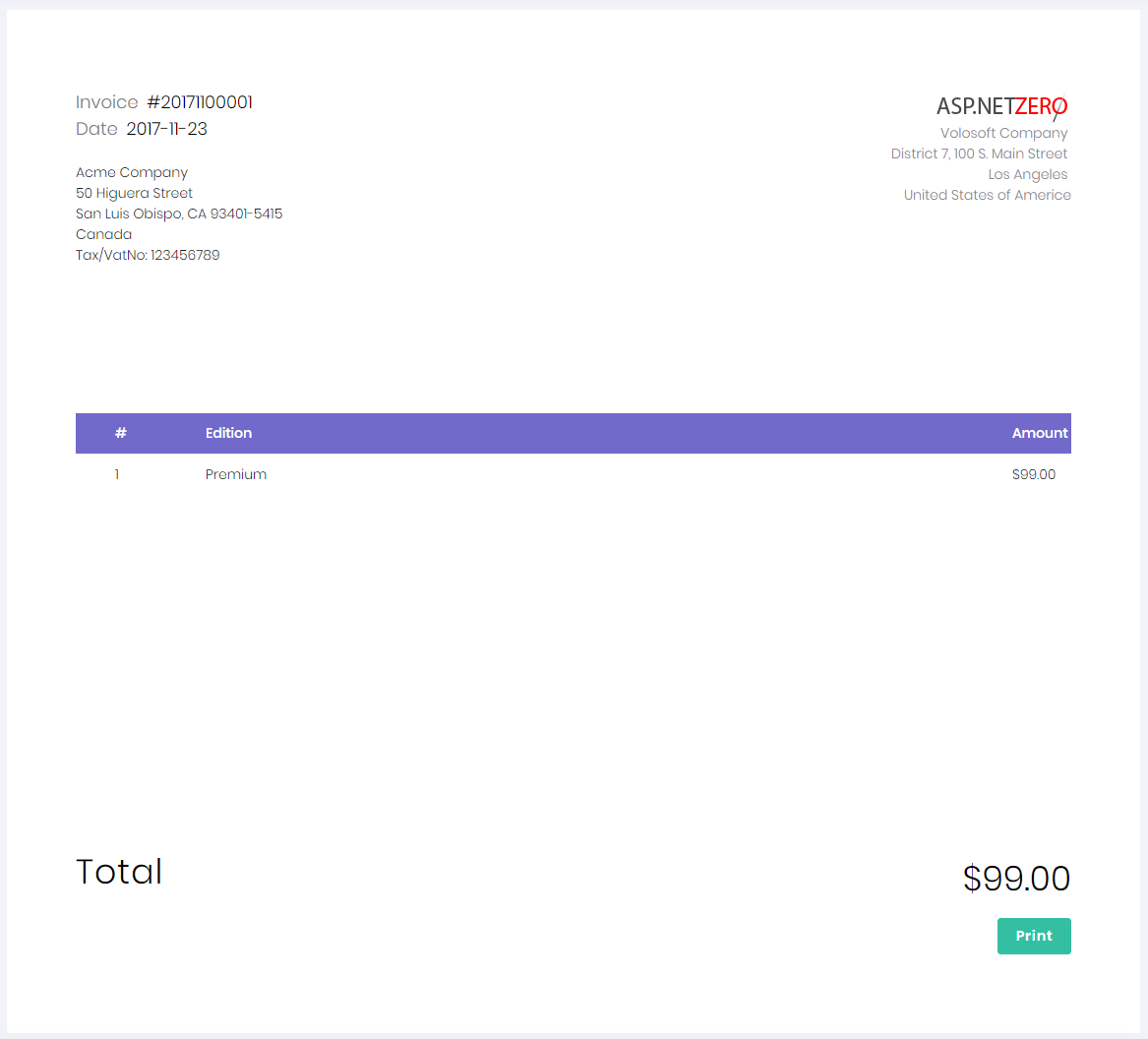
After all, invoices for payments related to subscription can be generated. You can see a sample invoice below:
ASP.NET Zero's subscription system allows using two payment gateways, one is PayPal and the other one is Stripe. You can configure both payment gateways in the appsettings.json file in the *.Web.Host project.
When subscription of a Tenant is about to expire, an email is sent to email address of the tenant to remind this expiration. This job is handled in SubscriptionExpireEmailNotifierWorker.cs background worker. This worker runs once in every day and sends email to tenants whose license will expire after N days later. The day count of N is stored in a setting named "App.TenantManagement.SubscriptionExpireNotifyDayCount" and its default value is 7 days. You can change it in AppSettings.cs class in *.Core project.
When the subscription of a Tenant is expired, SubscriptionExpirationCheckWorker.cs (it is localed next to SubscriptionExpireEmailNotifierWorker.cs) comes into play and executes the logic below:
- If WaitingDayAfterExpire is set for the Edition of the tenant, ASP.NET Zero waits for WaitingDayAfterExpire days to end Tenant's subscription.
- If "assign to another edition" option is selected for the Edition of the Tenant, tenant will be moved to the fallback edition.
- If "deactive tenant" option is selected for the Edition of the Tenant, tenant will be disabled and will not be able to use the system.
- If the subscription expires for a tenant who subscribed for trial usage, the tenant will be disabled and will not be able to use the system.
Minimum Update Amount
Since payment systems have accepted minimum payment amounts, you may need to configure the minimum payment amount based on your payment system. This setting is located in the backend project *.Core.Shared/AbpZeroTemplateConsts.cs:
// Note:
// Minimum accepted payment amount. If a payment amount is less than that minimum value, payment progress will continue without charging.
// Even though we can use multiple payment methods, users always can choose to use the method with the highest accepted payment amount.
// For example, if you use Stripe and PayPal: Stripe accepts min $5 and PayPal accepts min $3. If your payment amount is $4,
// the user will prefer a payment method with the higher acceptance threshold (Stripe in this case).
public const decimal MinimumUpgradePaymentAmount = 1M;
Default value is 1.
Payment progress will continue without charging any amount if the payment amount is less than the configured value.
